A quote submitted on the Buchanan marketing site now creates a new-lead job and sends Don a notification.

Case study
Buchanan CRM
Product and workflow design for an auto glass shop. Two interfaces, Admin and Tech, following the same job record.
The old workflow left technicians filling the gaps. I designed one shared job record with distinct Admin and Tech views.
Context
I was already working there as a technician.
Buchanan Auto Glass is a small, owner-led auto glass business. I was already on the shop floor when I started redesigning the workflow we used to schedule and run jobs.
The replacement has been in daily production since March 2026. Three people run real work through it. From May through August, the system recorded 402 job records. A multi-vehicle job still counts as one record in that total.
3Active users
402Job records / May–Aug
Mar 2026Daily production
The observed problem
The shop was filling the gaps in the schedule.
The old PowerApps tool handled basic jobs and a simple inventory list. Two-technician work meant duplicate entries; customer history lived in notebooks; parts had no view by van.
From daily work
I once watched a technician scroll past roughly ten old jobs that had never been cleared just to reach the current day.
Admin vs Tech
The same job, from two different seats.
The shared record stays consistent. The interfaces are different because Don manages the operation while technicians need fast access to the work in front of them.
Screens show interface content; the displayed dollar amounts are not revenue outcomes.
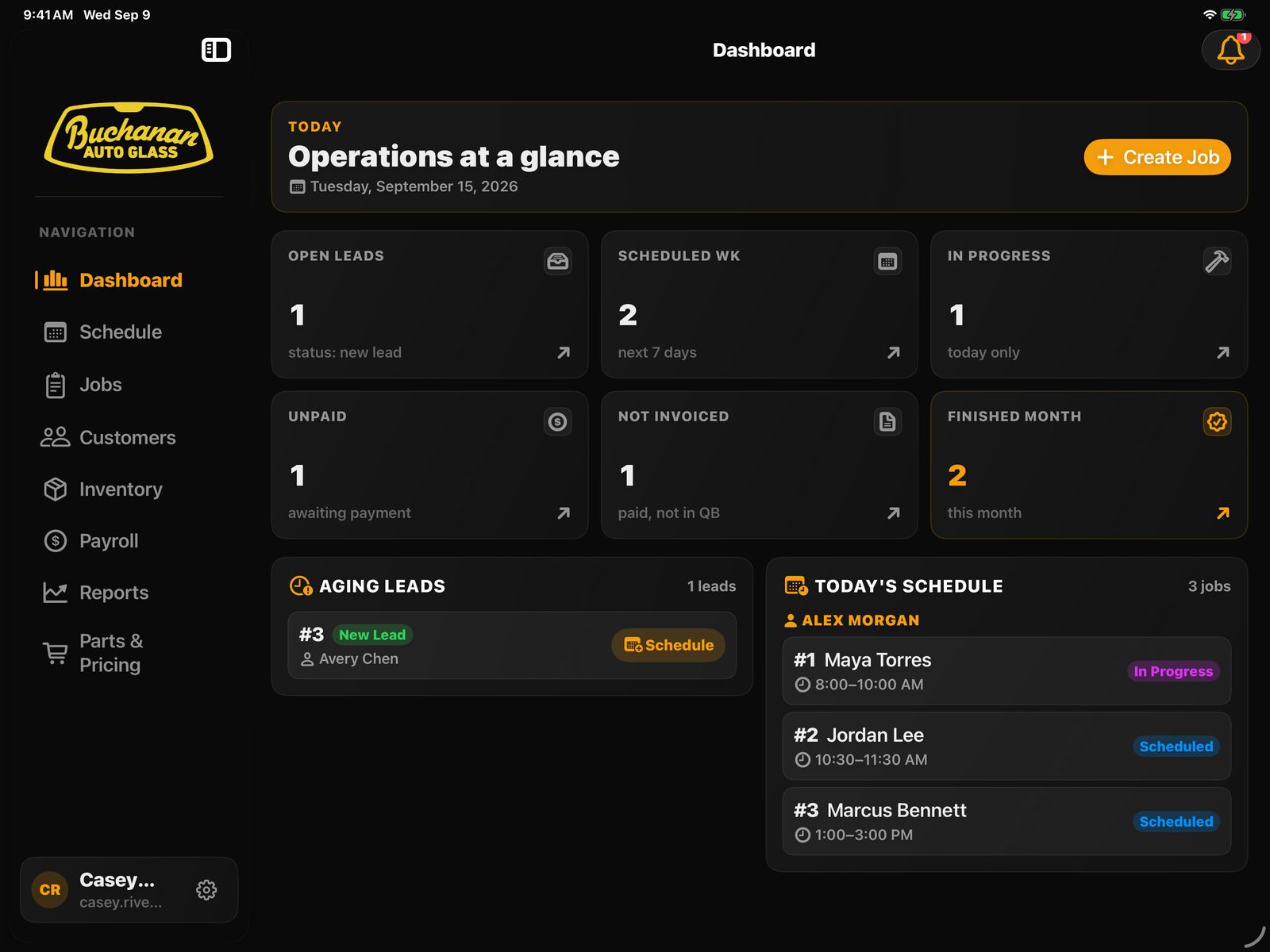
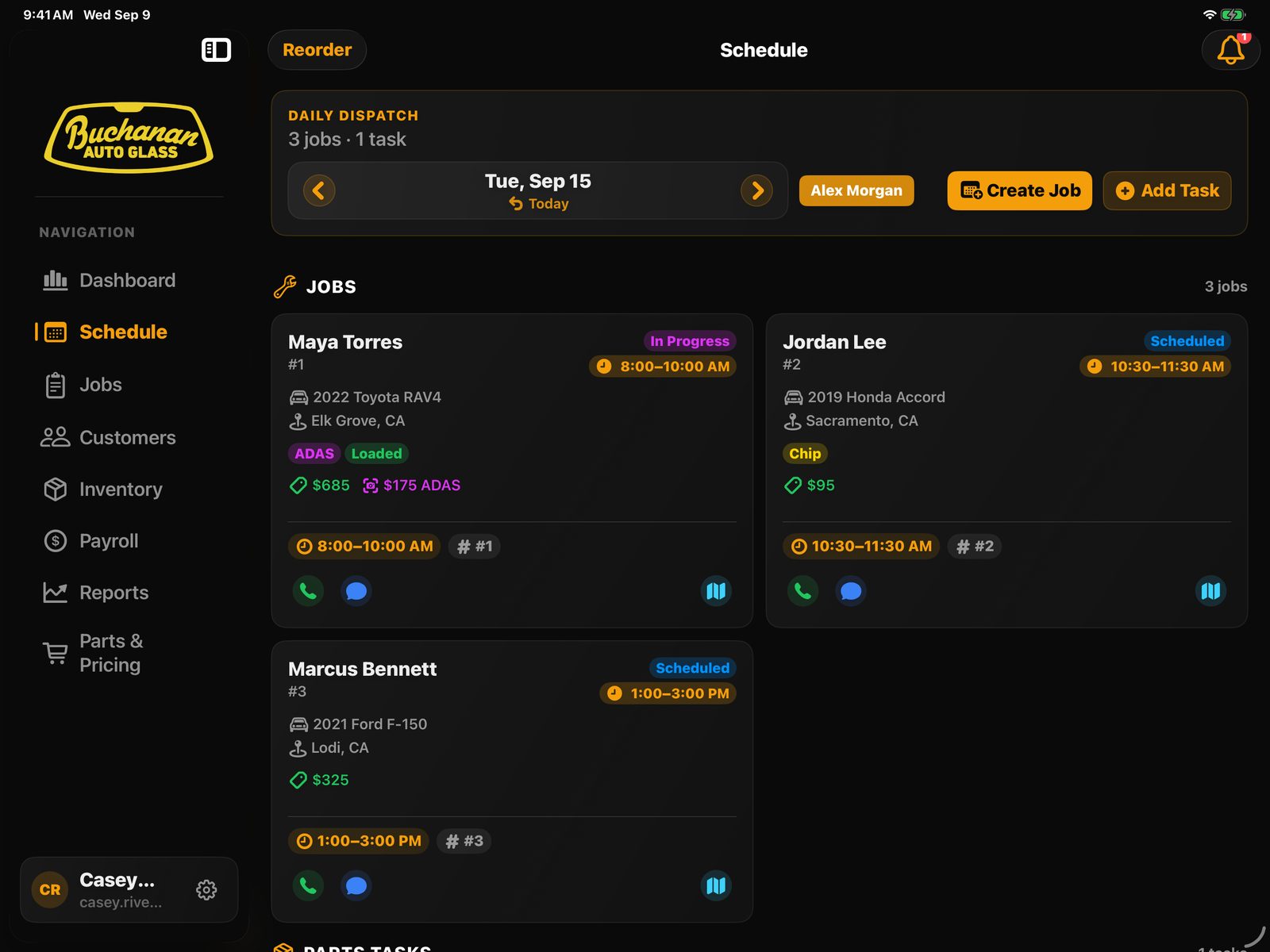
Buchanan Admin
An overview for dispatch: assign work, see its status, and keep the shop moving. Designed for iPad, usable on iPhone.
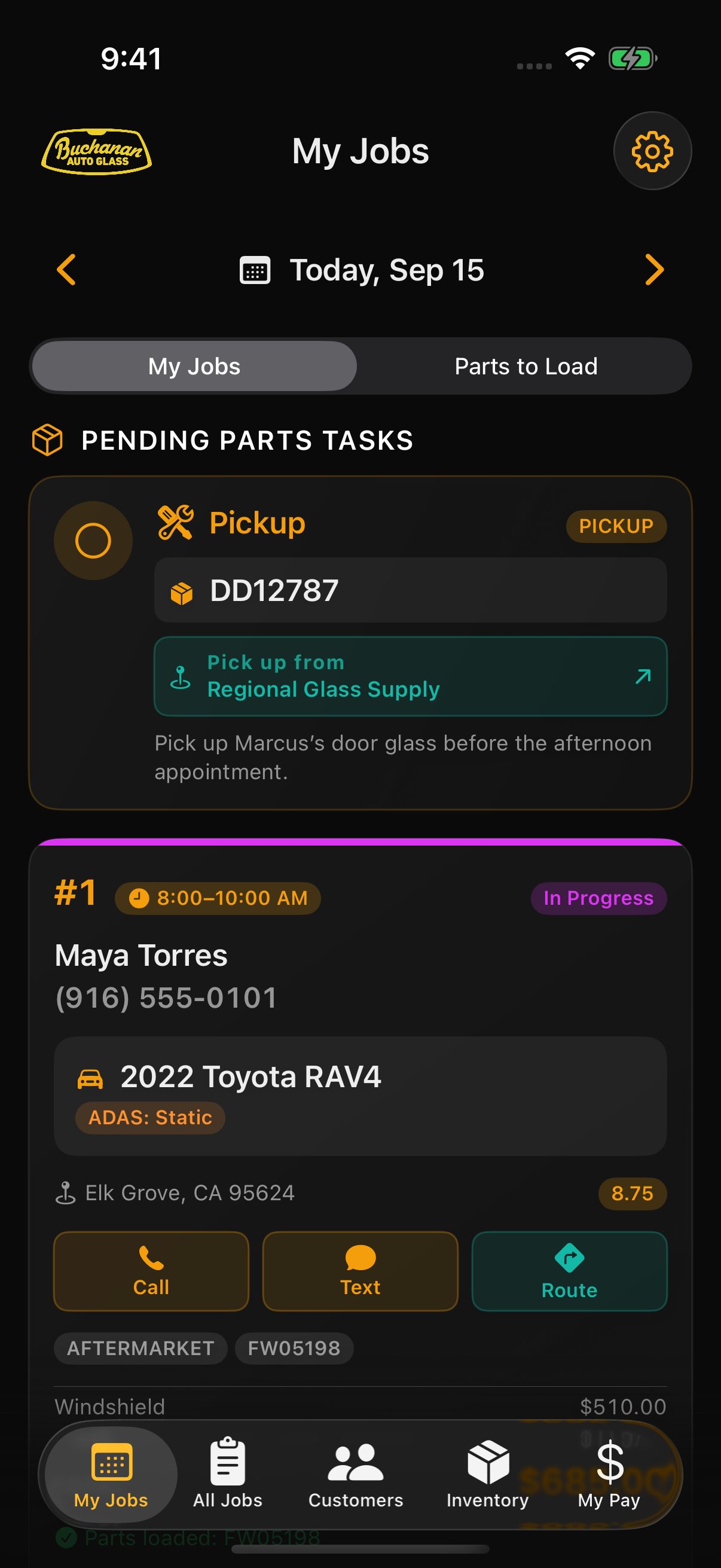
Buchanan Tech
A focused view of today: pick up the part, open the job, and reach the customer. Designed for iPhone in the van and on the job.
 Enlarge screen
 Enlarge screen
A shared job record
Less lookup work between the schedule and the job.
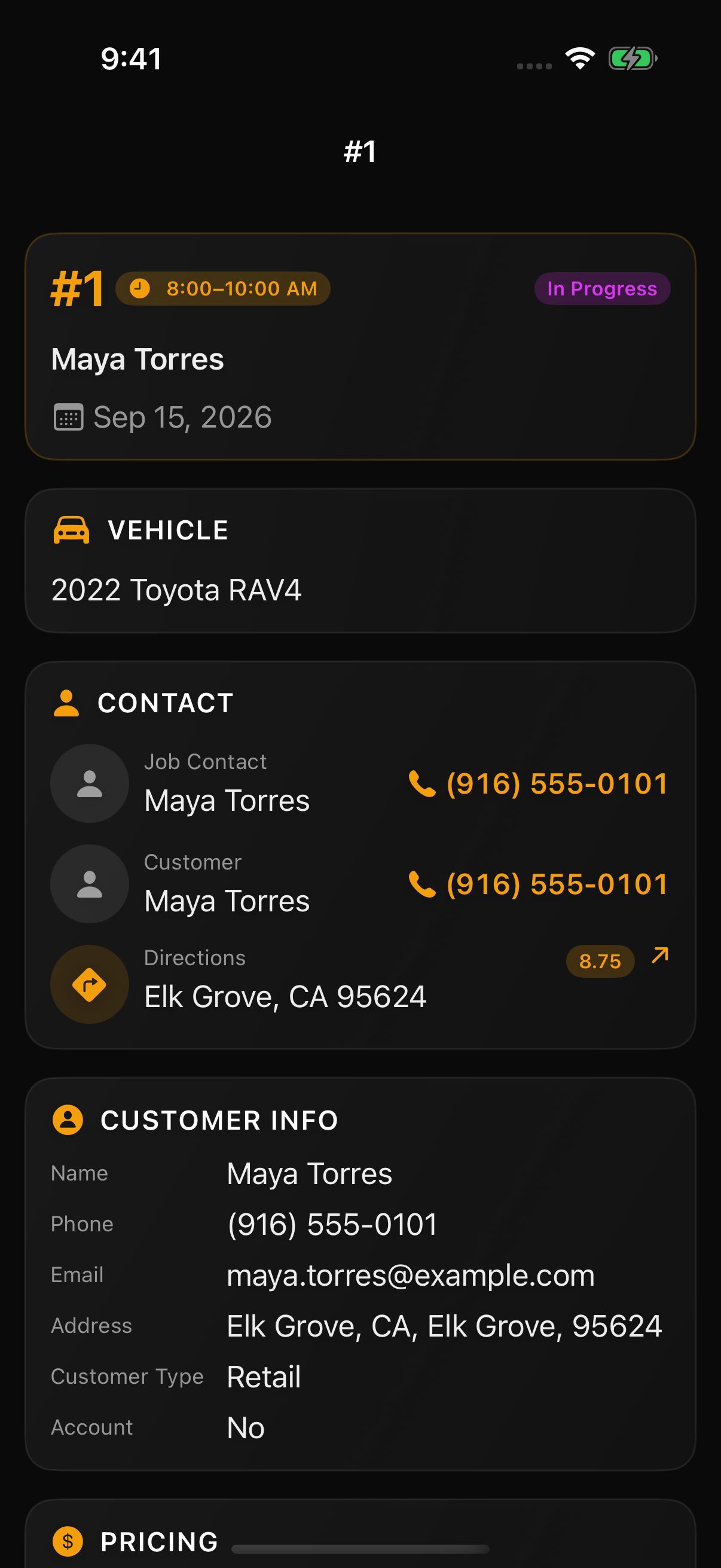
A job can carry a primary technician, a helper, and several vehicles. The Tech view brings contact details, directions, tax rate, and parts into that same record.
Completion updates the status, consumes loaded parts, and keeps pay and customer history attached to the work.
 Enlarge screen
Workflow case study: parts
A pickup and a scheduled part must mean the same piece of glass.
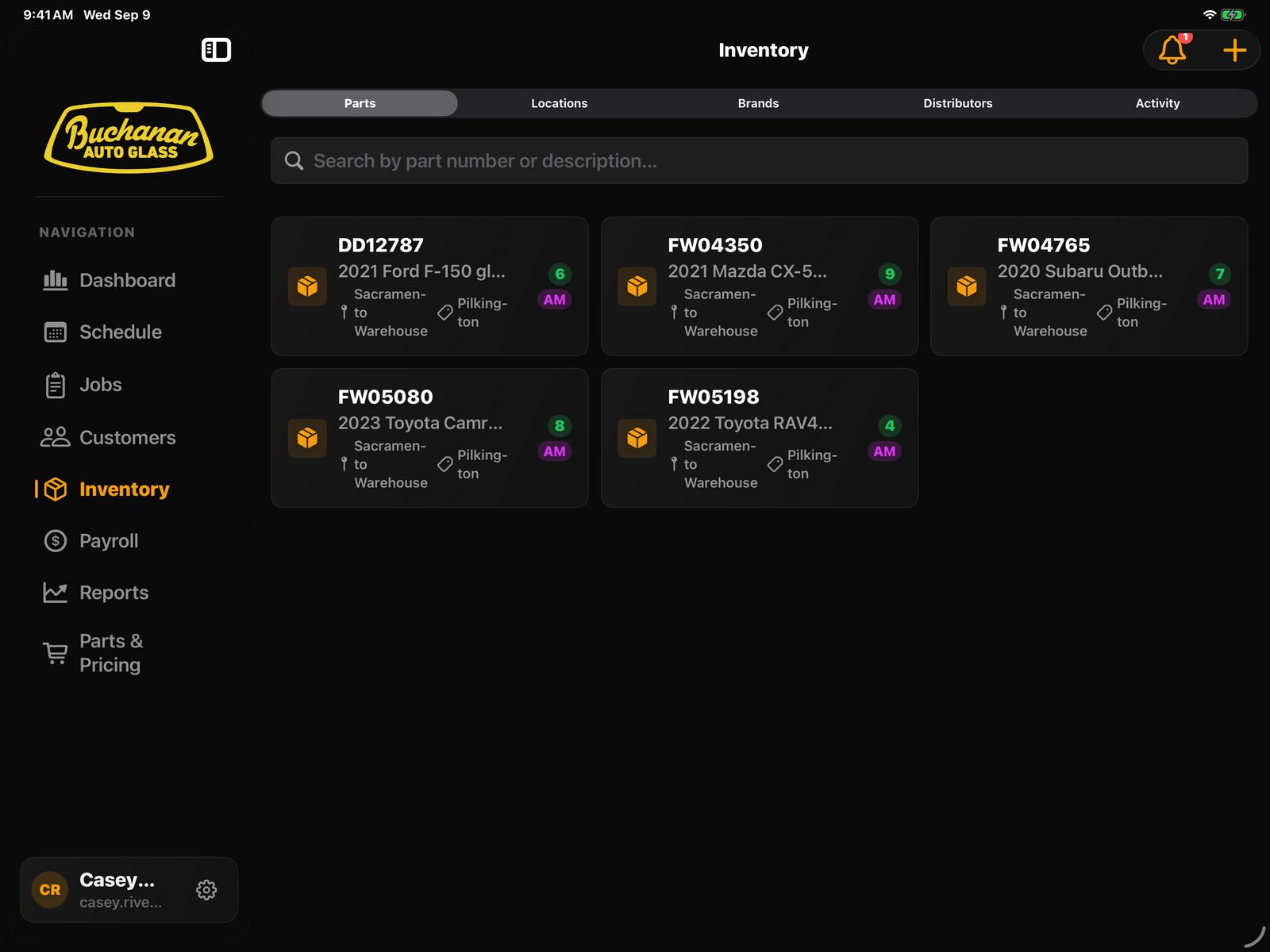
Parts were the hardest area to model. The product has to follow both the scheduled requirement and the physical glass moving through the shop.
- JobFW05198 required
- GhostNo physical location yet
- LoadTechnician receives it
- VanMoves into tech inventory
- CompleteConsumed from inventory
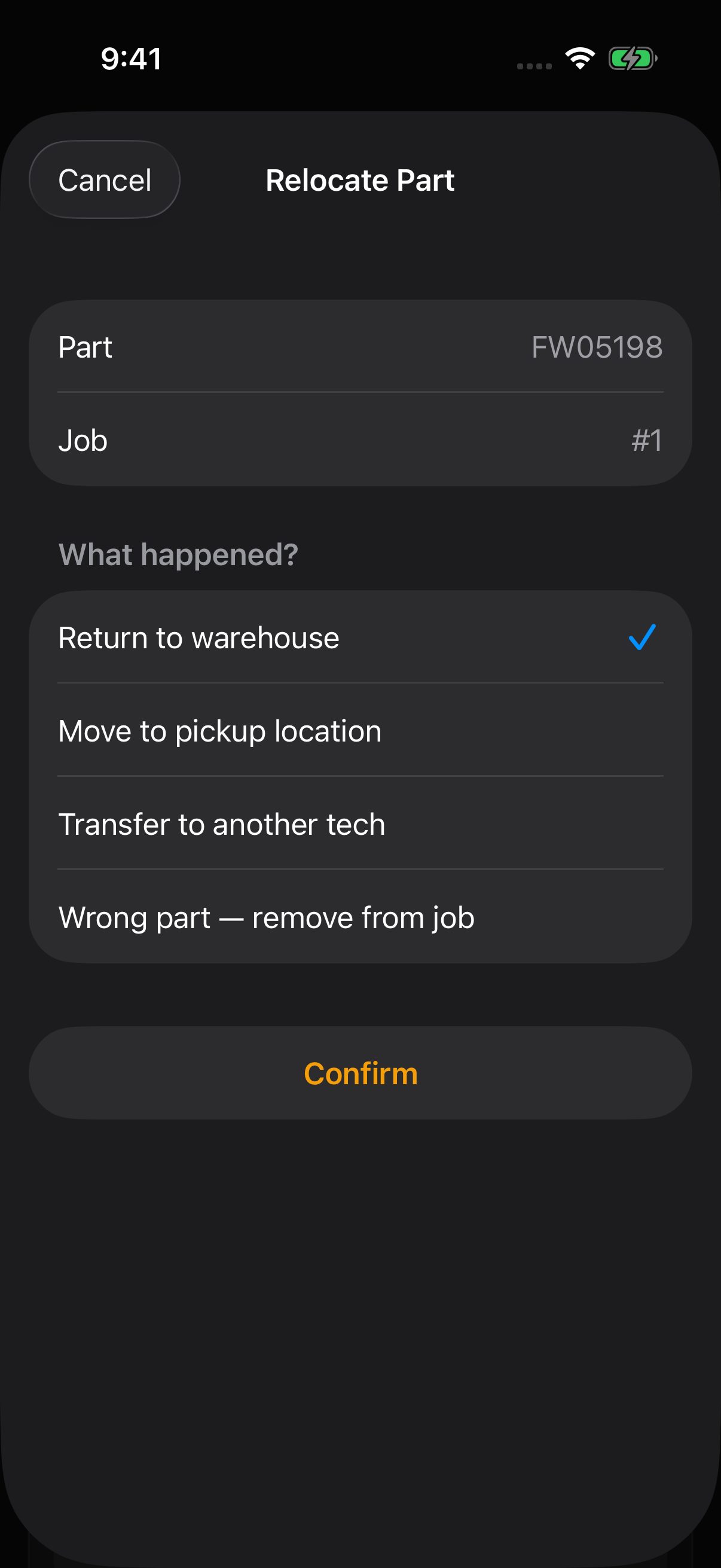
Some required parts do not exist on a shelf yet. A job may be scheduled with a windshield Don has ordered for tomorrow. The part still needs to exist on the job before it has a physical inventory location. The relocation sheet exists because reassignment, returns, and wrong glass happen after the schedule is already written.
 Enlarge screen
 Enlarge screen
More of the workflow Customer history, pay & reporting
Customer data
Customer history moved out of the notebook.
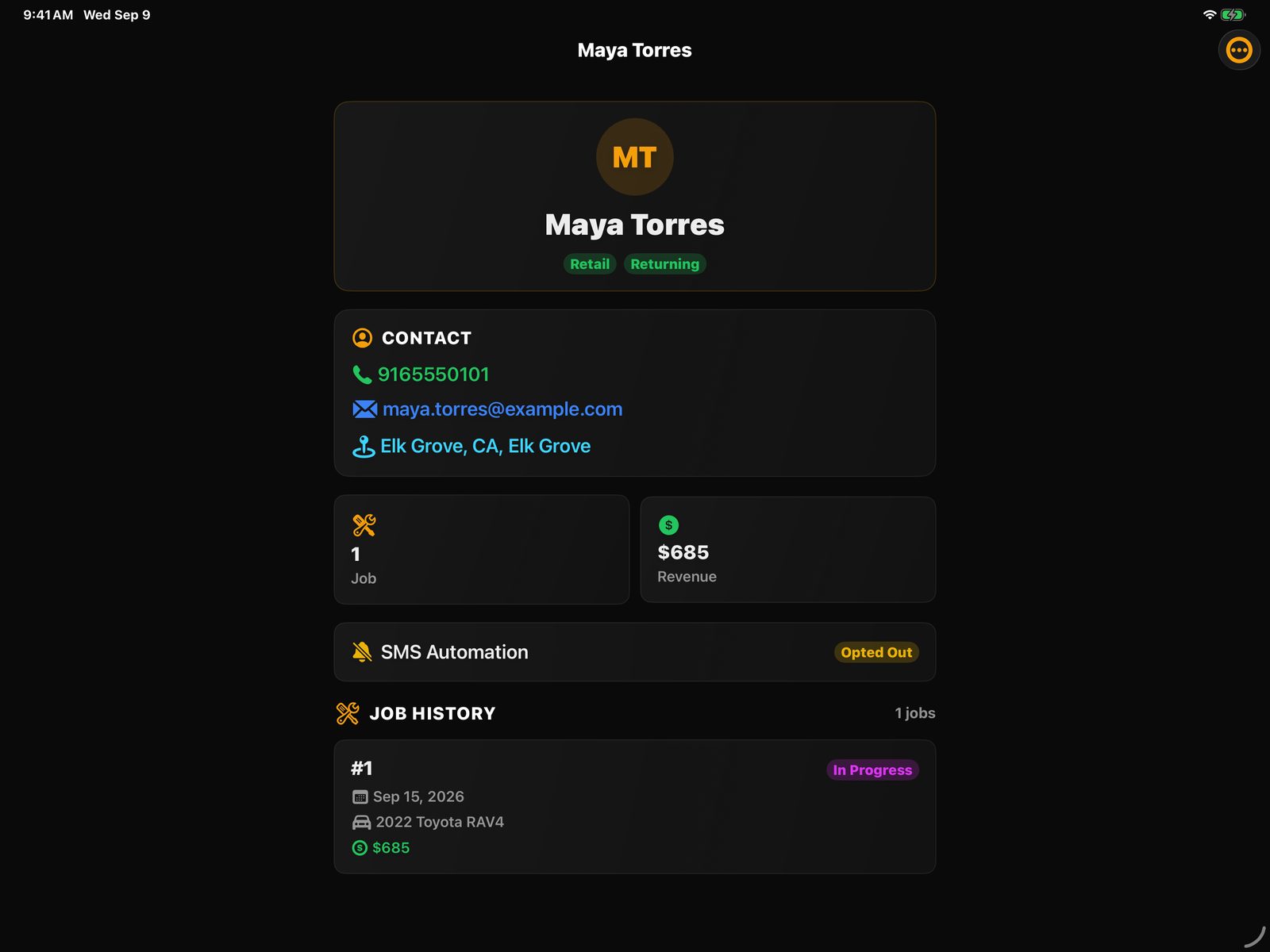
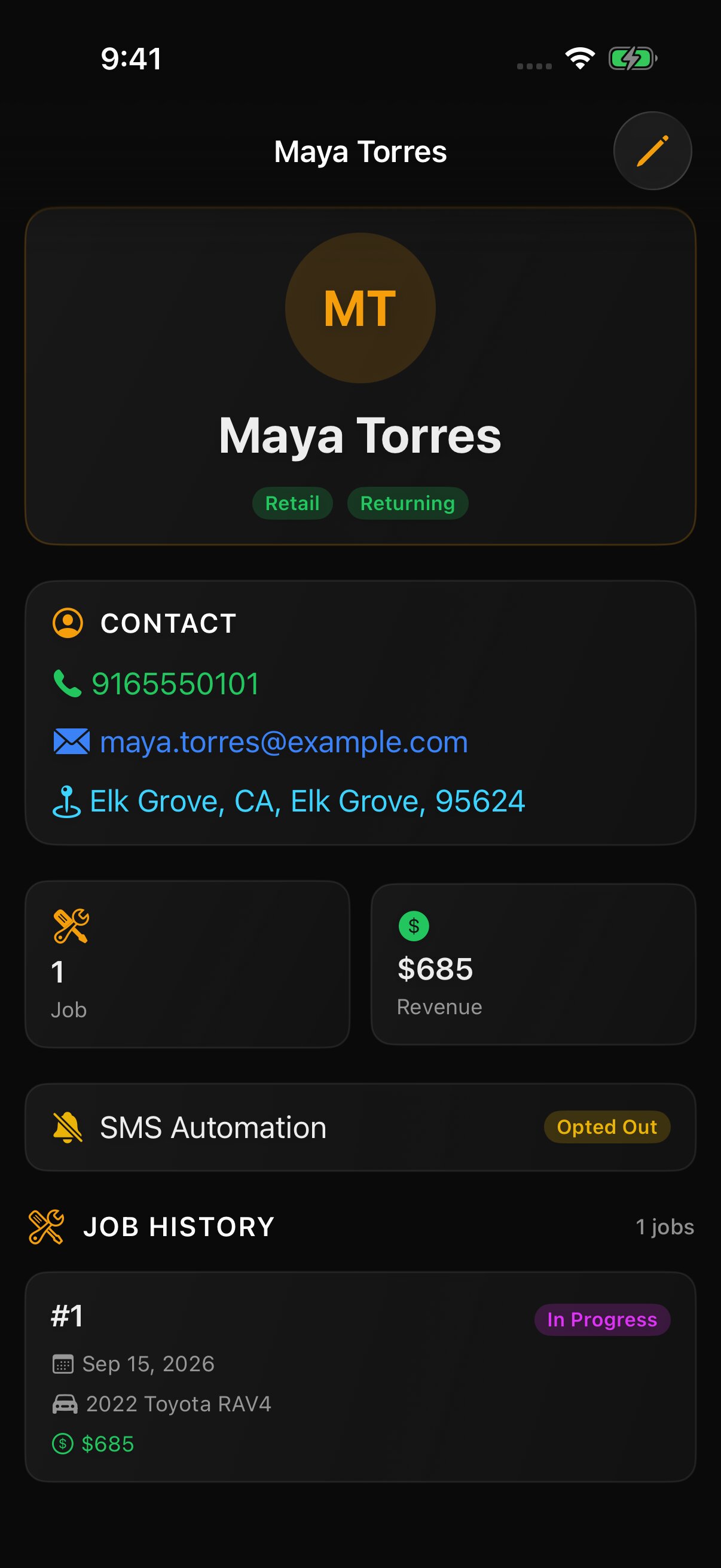
The product keeps retail customers, business accounts, dealerships, contacts, and job history together. A dealership can hold several service advisors, so technicians know who to ask for when they arrive. A tech can see the customer, the account contact, and prior jobs without calling Don for context.
 Enlarge screen
 Enlarge screen
Pay + reporting
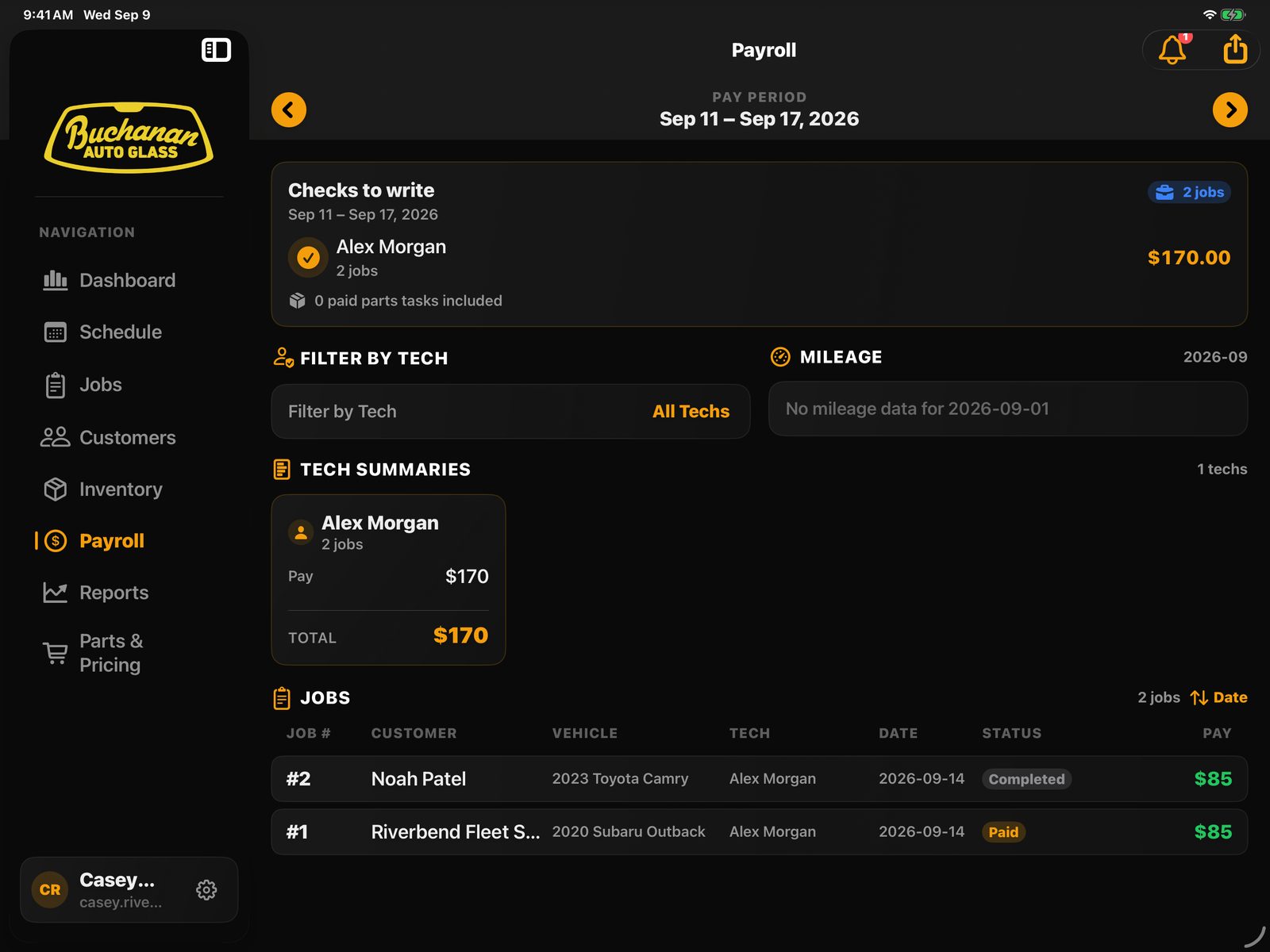
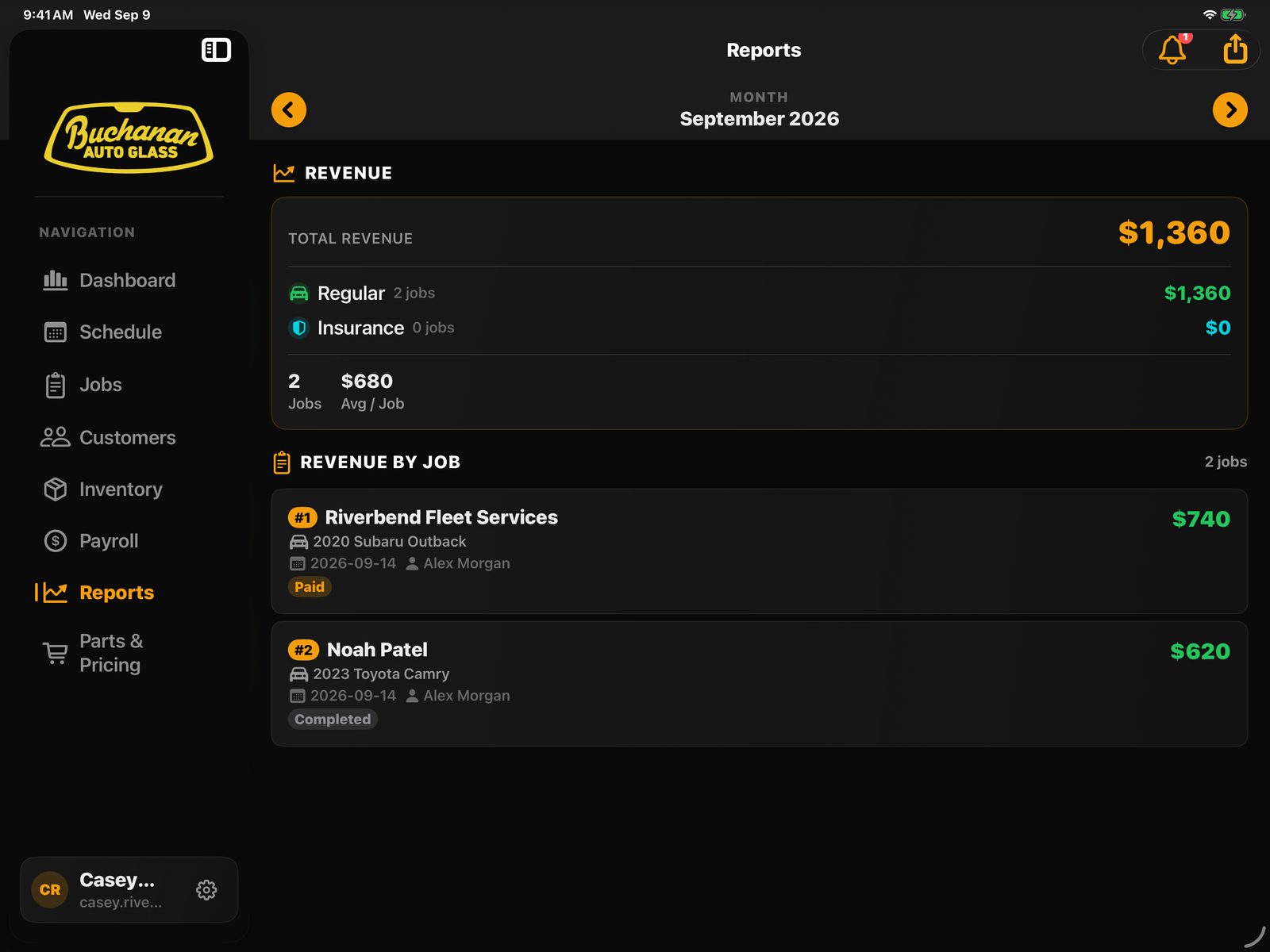
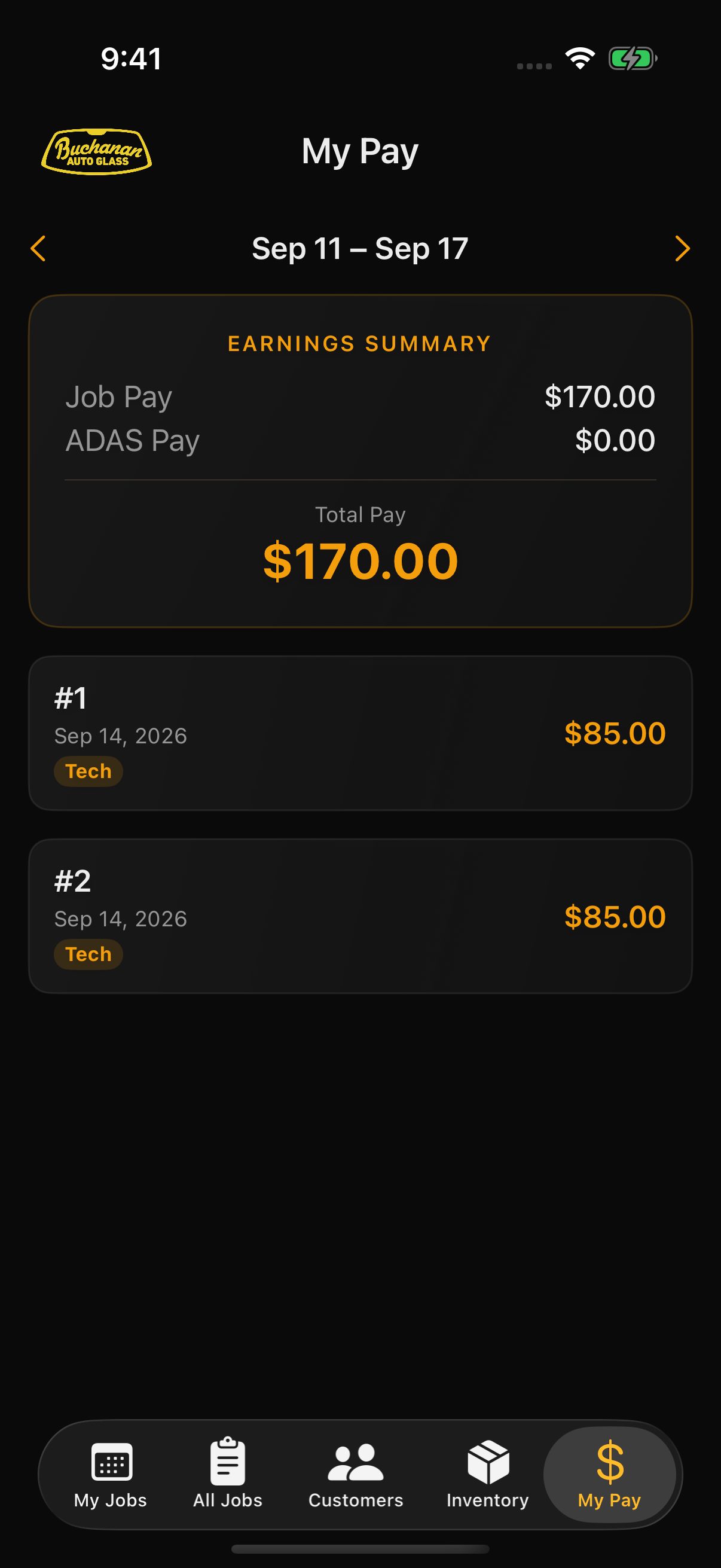
The job record now carries the information used to pay technicians.
Before this, Don could miss a job when paying technicians. Pay is now tied to recorded work, including primary pay, helper pay, ADAS work, and paid parts tasks. Monthly mileage and shop reporting sit in the same system. Technicians can see their own pay. Admin keeps the full payroll and mileage view.
 Enlarge screen
 Enlarge screen
 Enlarge screen
Real use and iteration
New work now comes from problems found in daily use.
The product keeps changing as the shop uses it. Some additions remove manual work. Others cover cases that only became visible after the core workflow was running.
Bulk invoice-status editing, monthly mileage prompts, business contacts, part relocation, and linked parts tasks came from repeated shop work.
Search a part number, compare distributor pricing, and submit the order without leaving the product.
The app contains SMS workflows, but the shop has not completed the external setup. SMS is not part of the current production routine.
Outcome
Still internal. Still used every day.
Buchanan CRM has effectively replaced the old PowerApps workflow. Don still keeps notebooks as a backup and out of habit, but scheduling, customer data, inventory, technician pay, and day-to-day job work now run through this product.
What changed
Jobs are quicker to add to the schedule. Technicians can get the tax rate, contact the customer, open directions, see parts, and write invoices with less lookup work. Pay is tied to recorded jobs, which has reduced missed technician pay.
Actively used
Actively developed · Internal only
GlassFlow is the separate commercial product built from the lessons learned here.
Job records by month
Daniel Anderson / Product design · workflow · UX